Vector Art
Raster vs vector art: what is the difference?
Why logos need vector files for print, screen printing, and embroidery prep.
Quick answer
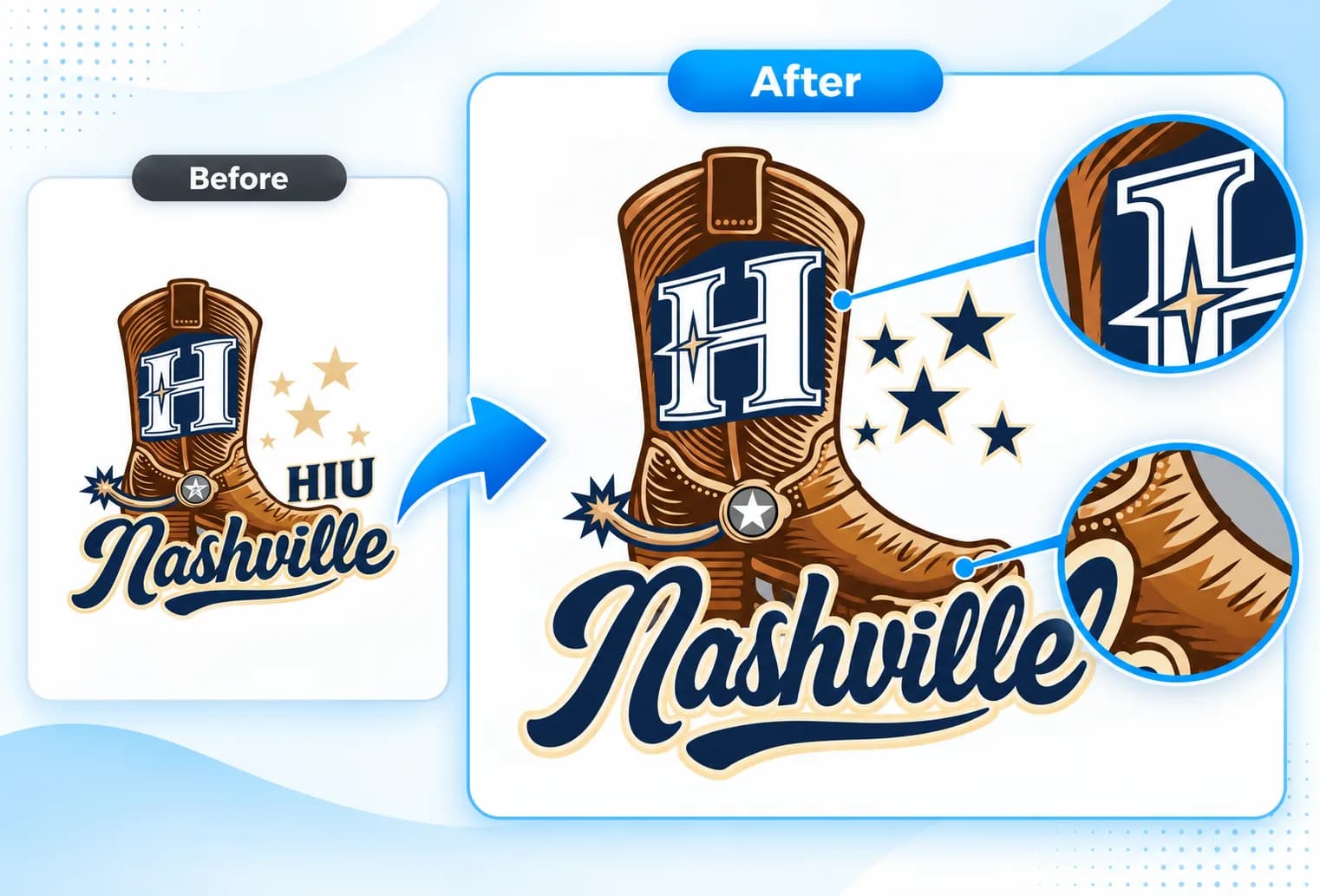
Raster images such as JPG and PNG use pixels. Vector artwork uses editable paths that can scale without pixelation. A blurry logo usually needs to be rebuilt as vector paths, not simply saved with an AI, EPS, or SVG extension.
Where raster artwork works
Raster artwork is useful for photographs and image-based previews, but enlarging a small logo exposes its limited pixel detail. Screenshots and compressed images can also introduce rough edges around lettering and shapes. Send the original file when available, or the clearest reference you have if it needs recreation.
What vector conversion changes
Vector conversion rebuilds the artwork with clean paths, shapes, and colour choices. An AI or PDF file can contain an embedded raster image, so the extension alone is not proof that the artwork is fully vector. Aspire prepares editable output in formats such as AI, EPS, SVG, PDF, and CDR for the production workflow you specify.
Prepare for the final use
Mention the final use: screen printing, signs, packaging, merchandise, web graphics, or embroidery preparation. Include brand colour references and any required separations. Vector art gives printers a cleaner source, but embroidery still needs a separate digitizing step to turn that artwork into stitches. Review the rebuilt logo for spelling, proportions, and colours before approving it.